Phone on the handlebars?
Not anymore.
Phones do a lot, but motorbike handlebars are not a good place for them.
4 steps
and you're riding.
Install the app
Get Bike Navigation for iPhone or Android.
- No account needed to navigate
- Vietnamese and English
Pair
Enter the 6-digit code or scan the QR code on the device.
- Encrypted connection
- Connects by itself next time
Pick a destination
Search a place, see the route and travel time.
- Add multiple stops
- Download offline maps along the route
Ride
The device shows the map, turns and speed.
- Reroutes when you go off route
- Turns off its screen on arrival
The navigation device.
A 1.75-inch round AMOLED up to 700 cd/m², a rechargeable battery, and a Bluetooth link to your phone.
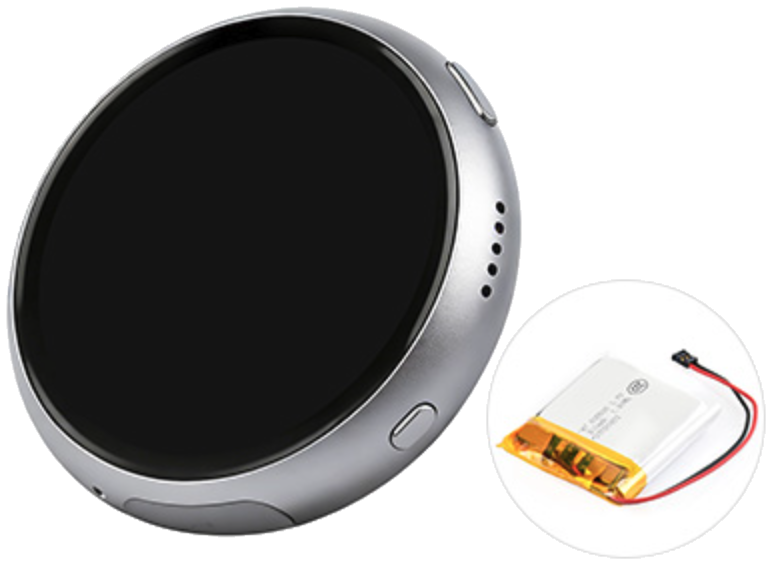
Specifications may vary between device models.
Everything
a trip needs.
A map on the device itself
A tilted 3D map that turns with you. At junctions and roundabouts the view switches to top-down.
Turn by turn
Large turn icons, distance and street names. Roundabouts show which exit; big roads get lane reminders.
Phone stays in your pocket
The next turn and arrival time also show in the Dynamic Island and on the lock screen.
Automatic rerouting
Take a wrong turn and Bike Navigation notices within seconds and finds a new route.
Offline maps
Download the map along your route before the trip to keep seeing it without signal.
Multiple stops
Add stops, drag to reorder, save routes you use often and share them.
iPhone notifications on the device
Calls and messages appear on the device screen, no need to take your phone out.
Clock and weather
When you are not navigating, the device is a clock with weather and several watch faces.
Clean arrival
At your destination the device shows the total trip time, then turns its screen off.
Private by design
The Bluetooth link is encrypted after code pairing. Navigation needs no account, no ads, no data sales.
Read the privacy policy →Digital warranty
Sign in to the app and enter the phone number you bought with to activate the warranty and manage your devices.
See support →More than
navigation.
When you are not navigating, the navigation device still earns its place on your bike.
Your QR code, always ready
Pick a QR image on your phone (payment, contact card…) and the device redraws it crisply for others to scan. Open it fast with a double press.
iPhone notifications on the device
Messages and calls appear on the device while you ride. Swipe down on the map screen to see recent notifications. iPhone only.
Weather on your handlebars
Temperature, conditions and a few days of forecast, at a glance on the watch face or in the device's Weather app.
Three watch faces
Ring digits, analog or classic: long-press the screen to switch. You can also change it from the phone app.
Your own wallpaper
Pick a photo on your phone, fit it to the round frame and send it to the device. Drag the time and weather where you like.
A flashlight when you need it
Double-press the power button and the whole screen lights up white, handy for locks or the storage box. Turns off after 3 minutes.
Illustrations of the device screen. Real photos coming soon.
Out on
the road.
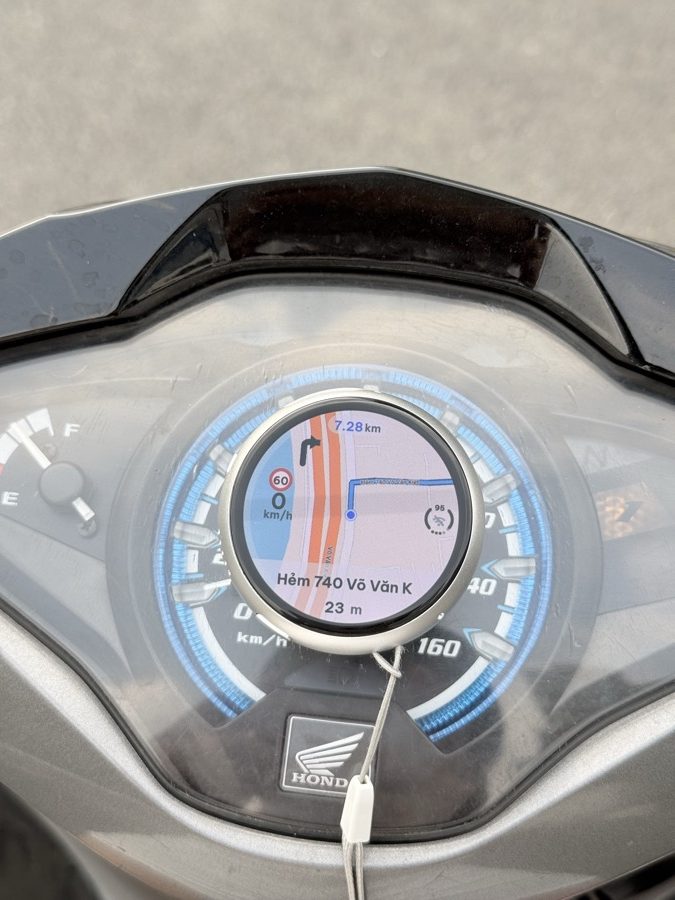
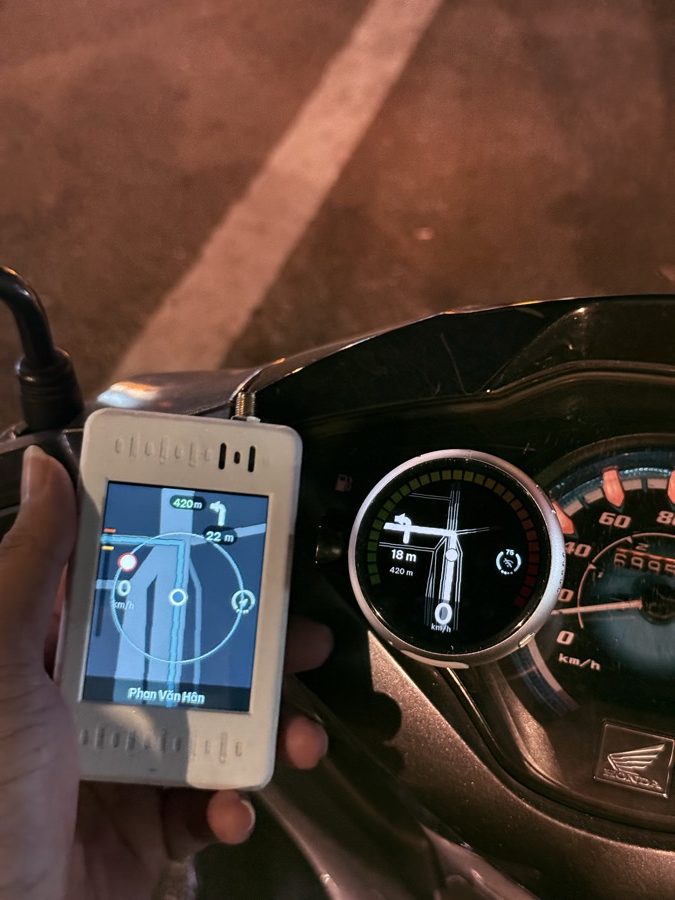
Video and photos from real rides, by day and by night.
Quick questions,
straight answers.
01Do I need mobile data?
Yes, to search places and calculate routes. You can download the map along the route beforehand to keep seeing it without signal.
02Do I have to sign in?
No. You can navigate right away without an account. Signing in is only for the warranty and managing devices.
03Which phones are supported?
iPhone and Android phones with Bluetooth. The Dynamic Island and lock screen features are iPhone only.
04How does the device connect?
Over Bluetooth. Pair once with a 6-digit code or QR code; after that it connects by itself and all data is encrypted.
05What if I lose signal mid-trip?
If you downloaded the offline map for the route, the map keeps showing. When the connection returns, the app carries on.
06Where can I buy the device?
Email rigosupport@gmail.com and we will get back to you.
Next ride,
watch the road,
not your phone.
Contact us to buy
Email us and we will help you pick the right device for your vehicle · rigosupport@gmail.com